GPT-Live-1.1 API: What Changed for Voice Agents
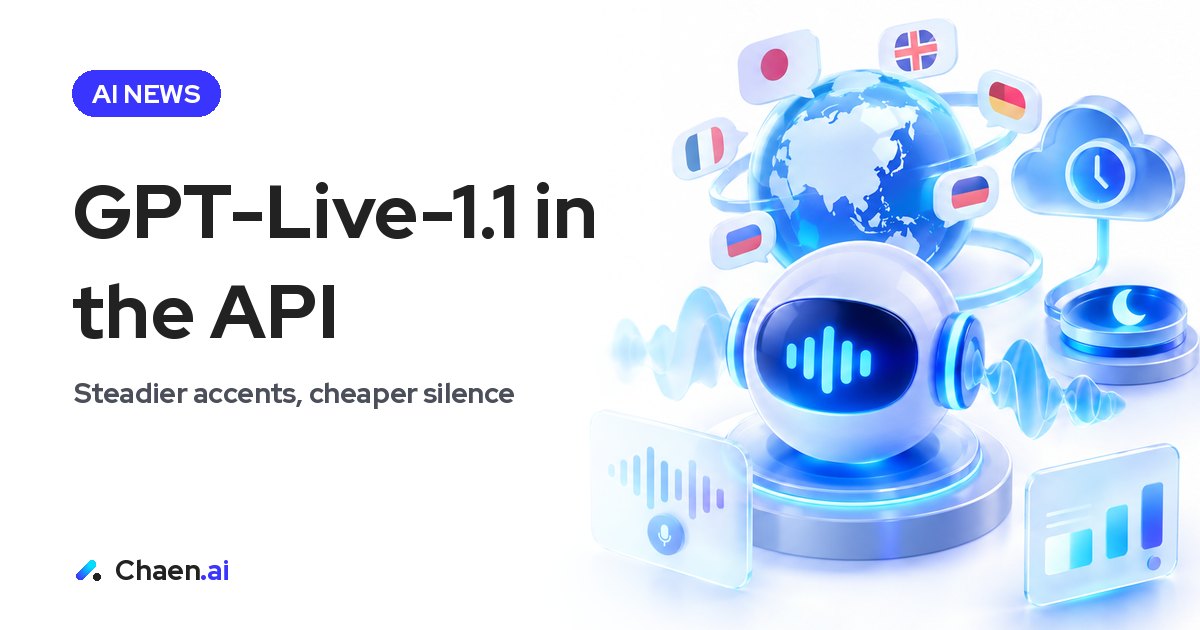
GPT-Live-1.1 API notes from testing: steadier multilingual pronunciation, accurate letters and digits, and Standby to wait through silence cheaply.
OpenAI has released GPT-Live-1.1 through the API. It is the same voice model that has been powering ChatGPT’s voice conversations since October 15, and now it can sit inside your own application. I tested it and came away impressed. If you are building voice agents, this is one to check. Below is what changed and, more usefully, how each change lands on the way you design and price a voice product.
The short version: two things matter. Pronunciation now holds steady across languages, and a new Standby mode lets a call wait through silence at a lower rate. One is a quality change. The other is a unit-economics change. They land on different parts of your plan.
What the GPT-Live-1.1 API actually ships
The model behind ChatGPT Plus and Pro voice is now callable from the API. That is the part worth sitting with: the voice quality people already use daily is the quality you can put in your own product, rather than something you approximate.
The published improvements:
- Consistent, natural accents across languages
- More accurate recognition of letters and digits
- Standby, which pauses the model after 5 to 60 seconds of silence
- Standby pricing of $0.02 per minute while waiting, against $0.05 normally
One detail that is easy to miss: Standby is not exclusive to GPT-Live-1.1. It works on GPT-Live-1 as well. If you already shipped on GPT-Live-1, you can take the cost improvement without touching your model choice first, then evaluate the 1.1 quality change separately. Two decisions, not one.
Steadier multilingual pronunciation is the upgrade I felt most
Testing it, this was the clearest difference. Pronunciation wobbles less across languages.
If you build voice in English only, this may read as a minor line item. Outside English it is not. A Japanese voice agent constantly has to say English words mid-sentence: product names, feature names, company names, units. When the model’s reading of those drifts, the listener stops processing the content and starts noticing the voice. In a consumer demo that is a small annoyance. In a business deployment it is a trust problem, because a voice that mispronounces your own product name sounds like it does not understand your business.
Consistency is also what makes a voice agent feel like one agent. If the same word comes out differently on its second mention, the illusion of a single speaker breaks. Steadiness matters more here than any single beautiful rendition.
Letters and digits are where voice agents really fail
The second improvement — more accurate recognition of letters and digits — reads dry and is probably the most operationally valuable item on the list.
Think about where letters and numbers show up in real work:
- Reading back a reservation or order number
- Confirming a model number or part number
- Exchanging phone numbers and postal codes
- Dictating an internal system ID
Get one character wrong and you have a conversation that went fine and a transaction that did not. This is the specific failure mode that kills voice agent pilots. Reviewers rarely write “the model’s conversation was weak”; they write “it confirmed the wrong order number.” Conversational ability was never the blocker. Character-level accuracy was. So this improvement lands on the right problem.
The practical consequence: re-run your own vocabulary. Part numbers, SKU formats and reservation ID schemes are industry-specific and sometimes company-specific. A general improvement in letters and digits is a reason to test again, not a reason to assume your worst case is solved.
Standby changes the economics of a voice agent
Standby is the change that will alter architectures. When silence runs for 5 to 60 seconds, the model pauses while the WebRTC call stays connected, waiting at a lower rate. Speak, and it resumes.
Before this, silence cost full price. That left designers with two options, both bad. Hang up when the user goes quiet, which means they restart the conversation from scratch when they come back. Or stay connected and pay for time nobody is using. Most teams picked aggressive timeouts and absorbed the worse experience, because the spreadsheet decided it.
Standby breaks the binary. The session survives; the rate drops. That makes a few patterns realistic that were not:
- Holding a line open through queue or hold time instead of dropping it
- Waiting while the user looks something up — a document, a screen, a shelf
- Long companion sessions, where someone works for an hour and speaks only when they need to
The third one was never viable. An agent that accompanies an hour of work but only hears five minutes of speech cannot justify an hour of full-rate connection. Lower the price of waiting and that category comes back onto the table.
A simple way to judge whether this helps you: the more intermittent the speech, the bigger the gain. Use cases with long silences benefit most. Continuous narration or short transactional Q&A benefit least, because there is little silence to discount. You do not have to guess — measure the silence ratio in your existing call logs and you will know which bucket you are in before writing any code.
Also note what Standby preserves, not just what it saves. Keeping the call connected keeps the context and the social thread of the conversation. Reconnecting is not only a technical cost; it is a conversational one, because the user has to re-establish who they are and what they wanted.
Let a backend model do the heavy thinking
The other design-relevant point: heavy processing can be handed to whatever backend model you prefer, while the conversation keeps moving.
The worst moment in a voice agent is the silence while it looks something up. Humans fill that gap naturally — we say “give me a second.” Software has historically had to either stall or fake speech to cover it.
Designing with the split assumed gives you a clean structure:
- GPT-Live-1.1 handles listening, turn-taking and speaking
- A separate model or system handles retrieval, internal data lookups and long reasoning
- The voice layer covers the wait without breaking the flow
That is an architecture decision more than a model decision, and it has a pleasant side effect: you can swap the thinking layer later without rebuilding the conversational surface. For enterprises with constraints on where internal data may be processed, a design that separates the voice layer from the reasoning layer is simply easier to get approved. Those constraints are rarely negotiable, so an architecture that respects them can be worth more than a benchmark win.
How this reads in Japan, and a note for overseas AI companies
Japanese voice use cases skew toward the telephone: call centers, reservations, routing, taking messages on someone’s behalf. That makes this particular pair of improvements unusually well matched to the local market. Mixed-language pronunciation and character-level accuracy are exactly the two things that go wrong on a Japanese business call.
But the questions Japanese buyers ask come in a specific order, and it is usually not the order a launch announcement is written in:
- What happens when it gets something wrong
- Who is accountable when it does
- What one interaction costs
Performance comes after those three. Standby speaks directly to the third, so when you present this release to a Japanese audience, “you no longer pay full price for silence” travels further than “it is fast and natural.”
For overseas AI companies announcing in Japan, there is a broader lesson here. Whether a release arrives with evidence of having been tried in Japanese changes how it is received. I published the launch video with Japanese subtitles added for exactly that reason: if a thing cannot be read in Japanese, the conversation does not start. And for any product claiming multilingual quality, showing how it actually sounds in the target language is worth more than the claim itself.
What to do with this inside your own company
Three concrete steps:
- Measure the silence ratio in your existing voice workloads. That number, not a model comparison, decides how much Standby is worth to you.
- List every place your agent reads back letters or digits, and re-test with your own vocabulary — your part numbers, your ID formats.
- Re-draw the boundary between the part that talks and the part that thinks, so the thinking layer stays replaceable.
Voice agent projects usually stall for one of two reasons: the quality was not good enough, or the economics did not work. This release moves the second one. If you shelved a voice project on cost, the notes from that decision are worth reopening.
FAQ
What changed in GPT-Live-1.1?
The published improvements are consistent, natural accents across languages and more accurate recognition of letters and digits. A new Standby mode was also added. It is the same model used in ChatGPT Plus and Pro voice conversations, now callable from the API.
What is Standby and what does it cost?
Standby pauses the model after 5 to 60 seconds of silence while keeping the WebRTC call connected, waiting at a lower rate, and resumes when someone speaks. Waiting costs $0.02 per minute against $0.05 normally.
Does Standby work on GPT-Live-1 as well?
Yes. Standby is available on both GPT-Live-1 and GPT-Live-1.1. That means you can take the cost improvement without changing your model choice first.
Based on a post on XOriginal post ↗
About the author

CEO of DigiRise Inc. Has supported 600+ companies and 50,000+ people with AI training, consulting and development. GMO AI & Crypto advisor, Google Gemini AI advisor. 200K+ followers on X.
Related articles
 Muse Chrome Extension: What It Does vs Claude in Chrome Nov 22, 2026
 Muse Email Address: How It Works and Business Caveats | Meta Nov 22, 2026
 Gemini 4 Neon: How to Read Performance and Price Nov 21, 2026
 Grok 5 vs Opus 5.5: How to Read Musk's 2-3 Month Claim Nov 15, 2026
 AI News Roundup: Claude Meetings and NVIDIA's CEO Exit Nov 15, 2026
 Gemini Smart Glasses: What Shipped and Why Japan Waits Nov 14, 2026