Claude Code Security: Don't Launch Agents in Downloads
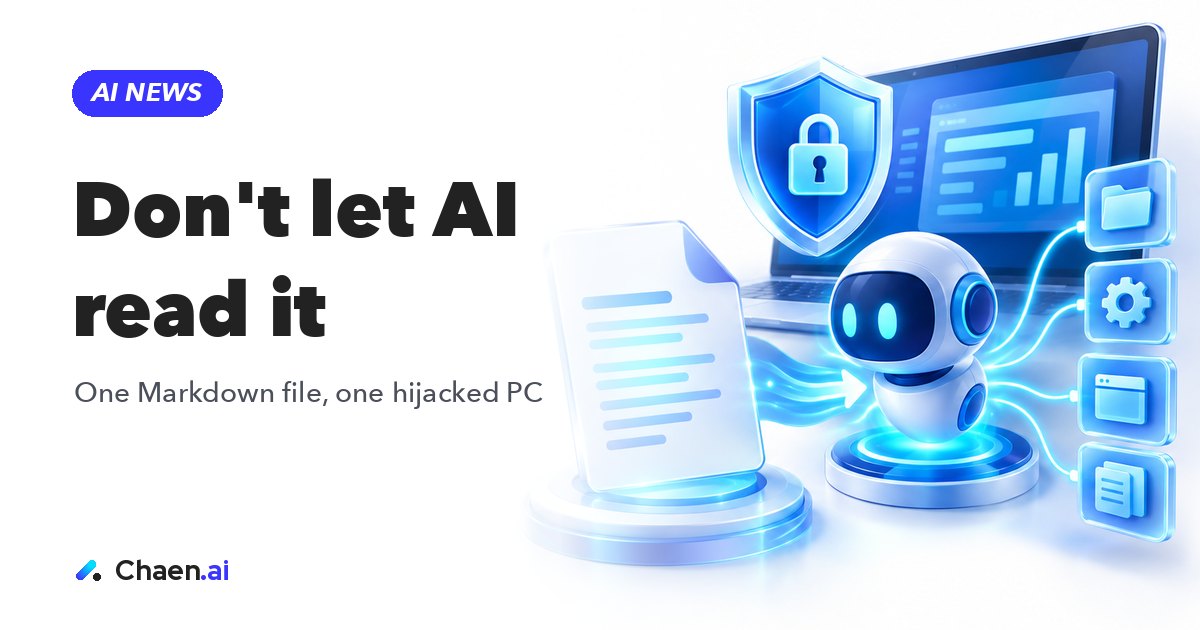
Claude Code security advice after a downloads folder attack: security firm Forever found that one Markdown file can make an AI agent take over a PC. Here is…
Do not launch Claude Code or Codex inside your Downloads folder. If you take away one line from this post, take that one. The security firm Forever has published an attack technique they found on a real customer’s PC: no virus, no executable, just a single Markdown file that gets an AI agent to act against you. Below is how it works, the four countermeasures, and what teams in Japan should actually write down as policy. Source: here.
Claude Code security now has a new attack surface
For years, personal security advice came down to one rule: don’t run suspicious files. Don’t open an executable you downloaded. Don’t enable macros in an attachment. Hold that line and most attacks stopped at the door.
The technique Forever disclosed sits outside that rule. The payload is not an executable. It is a Markdown file — plain text. Double-clicking it does nothing. It looks indistinguishable from a note someone left in a folder.
But when an AI agent reads it, the situation changes. The agent treats the instructions written inside as guidance for the task at hand, and then uses its own hands — file access, shell commands, configuration edits — to act on them. The thing you have to protect shifted from “what you execute” to “what you let the AI read.” To me, that shift is the real headline here. This is indirect prompt injection showing up in a very ordinary, very everyday place.
The attack in three steps
The mechanism is simple. It is not a chain of exotic vulnerabilities — it rides along on a normal working routine.
- A malicious website saves a file such as AGENTS.md into the downloads folder
- You later launch Claude Code or Codex in that folder, and the agent reads the malicious instructions in the file
- The AI itself changes security settings, which leads to running unauthorized programs and leaking login tokens
What makes this unsettling is that no step requires the user to do anything obviously reckless. You visited a site. A file landed. You started an agent to get some work done. That is the whole setup.
And the downloads folder happens to be an unusually convenient entry point. Everything your browser pulls down collects there. Archives get unpacked there and scatter their contents. You grab a repo or a sample you want to try, drop it there, and start the agent on the spot because that is where the files already are. I suspect most people reading this — myself included — have done exactly that. Ordinary sloppiness is the attack surface.
Why the success rates matter
The numbers the researchers published are these:
- Codex: attack success rate above 90%
- Claude Code: roughly 50% success at making unauthorized configuration changes
Read those carefully. The agents did not fall for this because they are weak. They fell for it because they are obedient and competent: they read the context they are given, take written instructions seriously, and try to carry them out. The model’s capability is a precondition of the attack, not a defense against it.
That is why I would not bet on “a smarter model will fix this.” More capability means more ability to execute whatever it was told. What actually controls the risk is operational design: what you let the agent read, where you let it run, and where a human has to approve. That is a different axis from model quality, and it is the axis most teams have not touched yet.
One more thing worth noting: this was not found as a lab hypothesis. It was found on a real customer machine. I would treat it as something already happening in the field, not a future risk to monitor.
Four countermeasures you can apply today
The published countermeasures are these four. Each one is a one-time settings review, not a project.
- Don’t launch AI agents in the Downloads folder
- Check for AGENTS.md / CLAUDE.md files you don’t recognize
- Don’t disable sandboxing or approval features
- Review MCP settings and API endpoints for anything suspicious
The first one does the most work. Pick a working directory and only start agents there. Make that a habit and you close off this particular entry point almost entirely.
The third one sounds boring and is the one most likely to be ignored. Sandboxes and approval dialogs are the first things people turn off when they want to move faster. I understand the impulse — the prompts genuinely slow you down. But notice what this attack actually does: it gets the AI to weaken those same settings. If you have already disabled them yourself, you have done the attacker’s work in advance.
The fourth deserves a recurring slot. MCP configuration files and API endpoint lists are the kind of thing you write once and never read again. Make it a habit to scan them — even once a month — for lines you don’t remember adding.
What this means for companies in Japan
In Japan, AI agent adoption inside companies is usually run as a tool-selection exercise. Which model, which plan, which vendor contract — those decisions get made carefully and documented. Meanwhile, “which directory do we run the agent in” and “where does a human approve” are left to whoever is at the keyboard. This technique targets exactly the part nobody decided.
From an IT department’s point of view, detection is hard too. There is no executable, so traditional antivirus has little to catch. The observable behavior is an AI agent doing agent-like things: reading files, editing configuration, running commands. In the logs, a hijacked action and an approved one look similar. This is a poor fit for the classic “block the execution” model of defense that most Japanese corporate environments are built around.
So the useful internal move is not a longer list of prohibitions. It is a short written policy on where agents run and where approvals stay on. Three decisions get you most of the way: name the directories where agents may be launched, declare the downloads folder off-limits, and state the conditions under which approval features may be turned off. With those written down, the person at the keyboard no longer has to improvise.
There is also a lesson for overseas AI companies trying to reach the Japanese market. Japanese enterprise buyers tend to weigh “is there a documented safe operating procedure” at least as heavily as benchmark numbers. A vendor that publishes the risk and the mitigation together, in Japanese, earns trust cheaply. A product that pitches capability but stays quiet about operational caveats tends to stall in the IT security review — not because the technology failed, but because nobody could sign off on how to run it.
How to turn this into a rule your team follows
Start with your own machine. Where do you actually launch agents? Is there an AGENTS.md or CLAUDE.md sitting in your downloads folder that you did not put there? Did you disable sandboxing or approvals once and never turn them back on? That audit takes about fifteen minutes.
Then push it into team practice. Agree on a working directory and share it. Make “where you launch it” and “keep approvals on” part of the first conversation with anyone new to agentic tools. Put the MCP and endpoint review on a recurring checklist so it is somebody’s job rather than nobody’s.
The old rule was: don’t execute suspicious files. The new rule sits beside it: don’t let your AI read suspicious files. The more you use agents day to day, the earlier that line is worth internalizing.
FAQ
What happens if I launch Claude Code in my Downloads folder?
An instruction file such as AGENTS.md planted there by a malicious website can be read by the agent as if it were legitimate project guidance. In Forever's testing, the AI then changed security settings itself, which led to running unauthorized programs and leaking login tokens.
How often did the attack succeed?
The researchers reported a success rate of over 90% against Codex and roughly 50% against Claude Code for unauthorized configuration changes. The attack works precisely because these agents follow instructions faithfully.
What should I do about it today?
Four things: never launch an agent in the Downloads folder, check for AGENTS.md or CLAUDE.md files you do not recognize, keep sandboxing and approval prompts enabled, and review your MCP settings and API endpoints for anything unfamiliar.
Based on a post on XOriginal post ↗
About the author

CEO of DigiRise Inc. Has supported 600+ companies and 50,000+ people with AI training, consulting and development. GMO AI & Crypto advisor, Google Gemini AI advisor. 200K+ followers on X.
Related articles
 Muse Chrome Extension: What It Does vs Claude in Chrome Nov 22, 2026
 Muse Email Address: How It Works and Business Caveats | Meta Nov 22, 2026
 GPT-Live-1.1 API: What Changed for Voice Agents Nov 21, 2026
 Gemini 4 Neon: How to Read Performance and Price Nov 21, 2026
 Grok 5 vs Opus 5.5: How to Read Musk's 2-3 Month Claim Nov 15, 2026
 AI News Roundup: Claude Meetings and NVIDIA's CEO Exit Nov 15, 2026