Gemini Notebook textbooks: Free Sources and Japan Checks
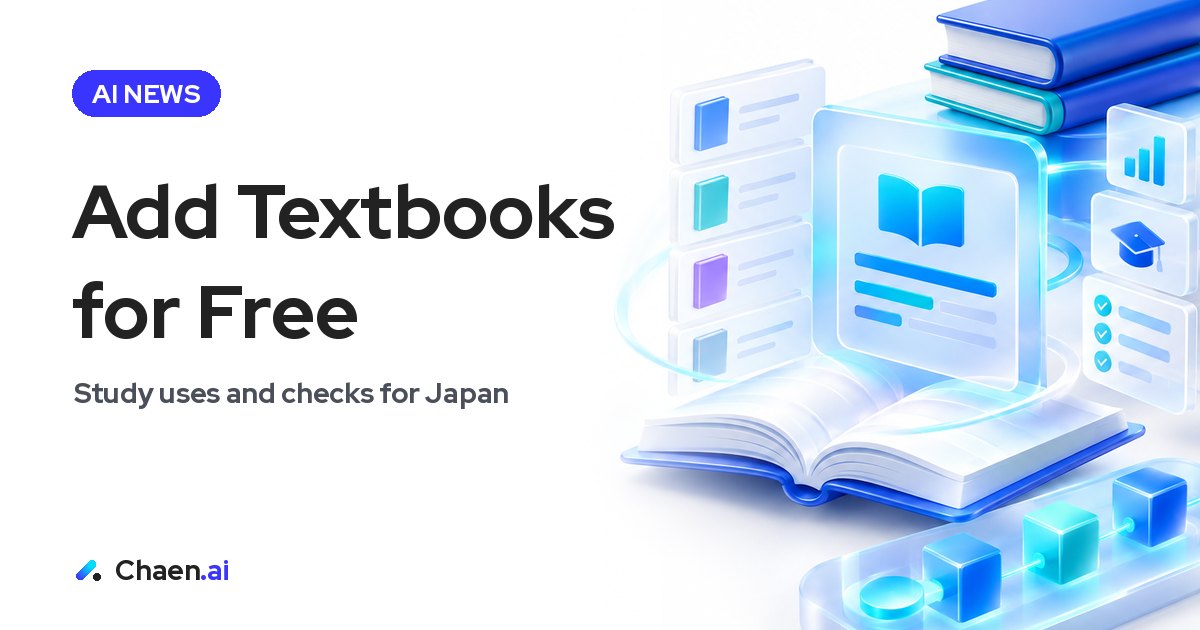
Gemini Notebook textbooks can be added for free. I explain the workflow, study uses, and what remains unconfirmed for Japanese accounts.
Gemini Notebook, formerly NotebookLM, has announced a way to add hundreds of textbooks as sources for free. I see its main value in moving from searching for books and collecting PDFs to choosing a textbook and asking questions about its contents. This article explains the demonstrated workflow, how I would approach university and qualification study, and the availability checks that matter for users in Japan.
What Gemini Notebook textbooks change
The new source-adding option is called Textbooks. It includes textbooks from S Chand, OpenStax, and Open Textbook Library, with filters for subject, level, and publication country. After adding a book, users can request summaries and ask questions based on it. Google says adding these textbooks is free.
The change concerns preparation as much as the study session itself. When a suitable textbook is available through this option, users can select it without first finding and collecting its PDF. That makes the step between identifying a topic and working with a source more direct.
I would nevertheless separate the size of the collection from its relevance. Hundreds of books are useful as a choice of materials, but that number alone does not establish that a particular course or examination is covered. The important question is whether a book matches what the learner needs to understand.
The scope of the free offer also deserves precise wording. The announcement says that adding textbooks is free. I would not use that statement to make broader claims about every aspect of Gemini Notebook’s access conditions. The concrete development is a new way to obtain textbook sources inside the source-selection workflow.
How the Textbooks workflow is demonstrated
The video shows users opening Textbooks from the source-adding screen, finding a book, and selecting it. The available filters provide a practical way to narrow the choice:
- Open Textbooks in the source-adding screen.
- Filter by the subject you want to study.
- Choose a level appropriate to your learning needs.
- Use publication country as an additional filter when relevant.
- Select a textbook and add it as a source.
- Use that textbook for summaries and questions.
This is a description of the demonstration, not a workflow I have personally verified on a Japanese account. Before planning around it, check whether Textbooks appears in your own account.
My recommendation is to define the learning objective before browsing. Reviewing a university topic and building foundational understanding for a qualification are different objectives. A short statement of what you want to learn helps you decide which subject and level to select.
Publication country can help narrow the search, but I would not treat it as proof that a book fits a course or examination. The book’s content still needs to be compared with the learning objective. The filters help identify candidates; they do not replace the decision about which material to use.
Using textbook summaries and questions for study
I highlighted university study and qualification preparation because the combination of source selection, summaries, and questions looks relevant to both. That is a suggested use, not confirmation that specific examinations or assigned university textbooks are included.
For university study, I would begin with a topic from the course and look for a textbook that addresses it. After adding a suitable source, I would request a summary of the relevant material to establish its main ideas. Questions would then focus on the parts that remain unclear, rather than asking for more information without a defined purpose.
For qualification preparation, I would keep textbook learning separate from examination coverage. A book may help explain a foundational concept without being sufficient preparation for the examination as a whole. The learner still needs to compare the material with what the qualification requires. I would use the feature to support understanding where the contents match, not assume that choosing a textbook creates a complete examination plan.
There are several useful directions for questions:
- Ask for a summary when you need an overview of the material.
- Ask about a term when its meaning is blocking your understanding.
- Ask how concepts relate when individual definitions are clear but their connection is not.
- Narrow a question to the specific passage or idea you do not understand.
These are recommendations for structuring a study session, not results from a test of answer quality. I would return to the textbook when checking important points, rather than treating a summary as a substitute for the material.
The outcome I would look for is also specific: can I now explain the idea that was previously unclear? Generating more text is not the same as resolving a learning difficulty. Keeping the original question in view gives the session a clearer stopping point.
Availability in Japan is separate from Japanese captions
For readers in Japan, the most important limitation is that I have not confirmed whether Japanese accounts can use the feature immediately. The video I shared includes Japanese captions. Those captions explain the demonstration; they do not verify access from Japan.
The textbook collection needs its own explanation. OpenStax and Open Textbook Library primarily offer English-language open textbooks, while S Chand is an Indian educational publisher. This information should not be presented as evidence of a broad Japanese-language textbook collection.
For a Japanese company considering the feature for learning or training, I would therefore ask separate questions. Does the account have access? Does a relevant textbook exist? Can the intended learners work with that material? A match in subject alone is not enough to decide that a book is ready to become a training resource.
For overseas AI companies communicating with the Japanese market, the same distinction is useful. A clear announcement should separate what is free, what kinds of materials are included, and what is confirmed about access for Japanese users. A Japanese-captioned demonstration can explain the product without answering all three questions.
I would make an unconfirmed point explicit instead of allowing the presentation language to imply local availability. That gives readers a sounder basis for deciding whether to try the feature now or first verify access. It also keeps the practical value of the announcement visible without overstating its relevance to Japan.
How I would judge whether a textbook is useful
My evaluation would follow a simple order: access, suitability, then learning value. First establish whether the feature is available in the account. Next check whether the selected textbook fits the intended topic and level. Only then assess whether summaries and questions help with the learning task.
I would start with a narrow objective rather than assembling a large collection. Choose a topic that needs clarification, add a suitable book if one is available, and work through the question. Afterwards, compare what you can explain with what you could explain before.
I would also assess preparation effort separately from content quality. Easy source addition does not make an unsuitable book appropriate. Conversely, when a textbook fits the objective, avoiding the separate PDF-collection step is a practical benefit worth recognizing.
This distinction keeps the evaluation grounded. The feature does not need to be treated as a complete study solution to be useful. Its value can be the more limited, concrete improvement of making an appropriate source easier to bring into a focused learning session.
Applying this in your own company
I would begin with one training topic and verify both account access and textbook suitability. If the feature is available, I would try the path from adding a book to summarizing and questioning it, then review preparation effort and understanding. I would expand its use only when the material serves the learning objective, rather than because adding it is free.
FAQ
Can I add textbooks to Gemini Notebook for free?
According to Google's announcement, hundreds of textbooks can be added as sources for free. Once added, the selected textbooks can be used for summaries and questions.
How do I add textbooks through Textbooks?
The demonstration shows a Textbooks option in the source-adding screen, where users can find and select books using subject, level, and publication country filters. The listed sources are S Chand, OpenStax, and Open Textbook Library.
Are Gemini Notebook textbooks available to Japanese accounts?
I have not confirmed whether Japanese accounts can use the feature immediately. The video I shared has Japanese captions, but those captions do not establish availability in Japan.
Based on a post on XOriginal post ↗
About the author

CEO of DigiRise Inc. Has supported 600+ companies and 50,000+ people with AI training, consulting and development. GMO AI & Crypto advisor, Google Gemini AI advisor. 200K+ followers on X.
Related articles
 Muse Chrome Extension: What It Does vs Claude in Chrome Nov 22, 2026
 Muse Email Address: How It Works and Business Caveats | Meta Nov 22, 2026
 GPT-Live-1.1 API: What Changed for Voice Agents Nov 21, 2026
 Gemini 4 Neon: How to Read Performance and Price Nov 21, 2026
 Grok 5 vs Opus 5.5: How to Read Musk's 2-3 Month Claim Nov 15, 2026
 AI News Roundup: Claude Meetings and NVIDIA's CEO Exit Nov 15, 2026