Claude Meetings: Anthropic's AI That Joins Your Calls
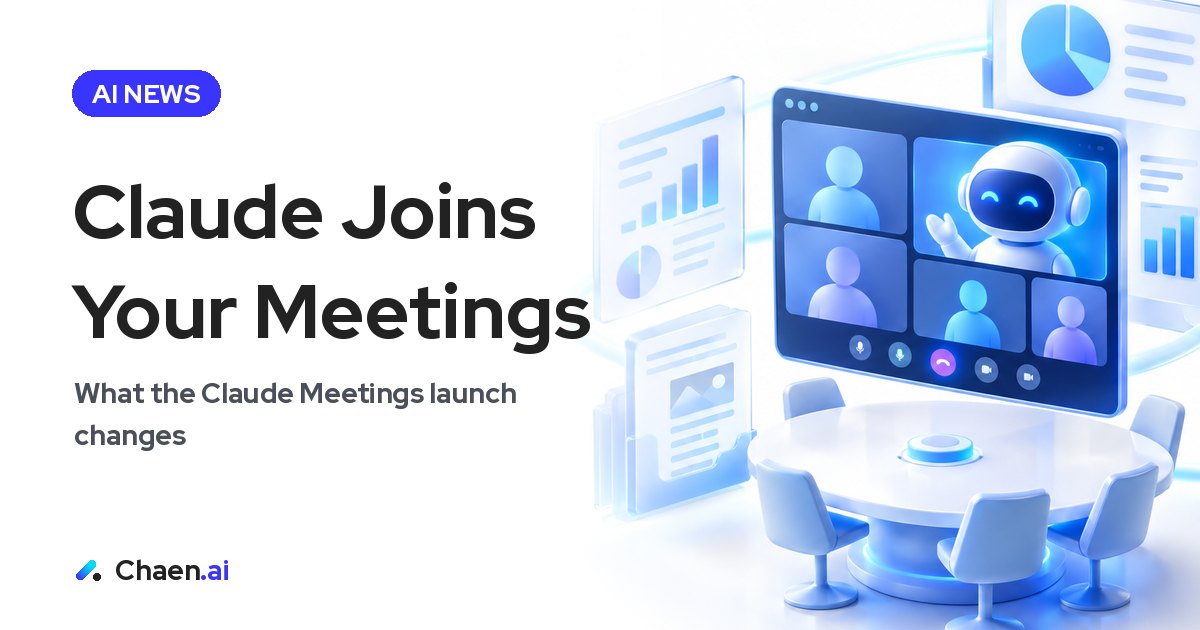
Anthropic announced Claude Meetings, an AI that joins video calls and builds docs and whiteboards as you talk. Here are the features, rollout conditions, and…
Anthropic announced Claude Meetings. Claude joins a video call as a participant and builds documents and whiteboards while people are still talking. After the call, notes, action items, and a transcript are compiled automatically.
This post covers what was announced, the conditions for using it, and what teams should check before rolling it out. I write from Japan, where meeting transcription has been one of the easiest AI use cases to get approved inside companies — so this launch lands in an already crowded space here. What caught my attention was less the feature itself and more the shape of it: the company that owns the model is moving down into business tools.
What Anthropic announced in Claude Meetings
The published points:
- Claude joins as a participant, and you can instruct it by voice or in chat
- It builds documents and whiteboards while the conversation is happening
- Everyone can see the work in progress and edit it on the spot
- After the meeting, notes, action items, and the transcript are compiled automatically
- Google Meet first, with other meeting tools coming soon
- Beta on the Team and Enterprise plans
The important difference is the order of operations. Most meeting tools summarize after the call ends. Claude Meetings moves that work into the call itself, so the artifact already exists by the time people log off.
I posted a version of the announcement video with Japanese subtitles, because seeing the motion makes the difference clearer than a feature list does.
Instructing Claude by voice or chat during the call
Two ways to steer it
Being able to instruct Claude by voice or by chat matters more than it sounds. Speaking keeps the meeting’s rhythm intact — you can say “put those three options in a table” without stopping the discussion. Chat is better for exact wording, proper nouns, and anything you don’t want misheard. Having both available inside the same call means you can switch depending on what you’re asking for.
Everyone edits the same in-progress artifact
Because the document is visible while it is being built, misunderstandings get caught in the room. The usual pattern is that notes go out after the meeting and someone replies “that isn’t what I meant” a day later. Removing that round trip is a real saving, especially for teams spread across time zones.
Which meetings this suits
From my own read, it fits:
- Comparison meetings, where options go straight into a table or a whiteboard
- Spec and planning meetings, where decisions become text as they are made
- Assignment meetings, where action items are the whole point
It fits less well in open-ended brainstorms or sensitive conversations, where knowing everything is being captured changes how people speak. Having the capability does not mean using it in every meeting.
What is kept after the meeting ends
Notes, action items, and the transcript are compiled automatically. One detail deserves attention: audio is not stored. Only the transcript and the summary remain.
Many organizations are uncomfortable accumulating raw recordings. A design where audio is not retained is a clean thing to explain to whoever owns your information-handling policy, and it is worth leading with that distinction rather than burying it.
The other thing to settle operationally is where the action items go. Automatic compilation does not help if nobody has agreed on the destination. Decide that before the first pilot call, and fit it to the task tracking you already run.
Rollout conditions and privacy settings to check first
For whoever handles IT and governance, here is the list:
- Available on the Team and Enterprise plans, rolling out progressively
- Team: on by default. Enterprise: an administrator enables it
- Organizations on ZDR, HIPAA support, or CMEK are excluded during the beta
- By default, Claude does not join meetings that include external participants
- Audio is not stored; only the transcript and summary are kept
“On by default” for Team is the line to pay attention to. There is no enablement step to gate it, which also means it can start being used before anyone has written an internal rule. If you want a controlled start, decide which meetings it is for and communicate that before people discover it on their own.
The default of not joining meetings with external participants is a sensible one. In client calls and cross-company projects, how the conversation is captured depends on the other side’s agreement. Defaulting to “stay out” reflects a design made for companies rather than individuals.
If your organization uses ZDR, HIPAA support, or CMEK, you are simply not in scope during the beta — worth knowing before you schedule an evaluation.
What this means for companies and AI tools in Japan
Pressure on meeting-notes products
Honestly, my first reaction was that startups built around meeting minutes may be in a difficult position. In Japan, transcription and summarization have been among the most approved, least controversial AI deployments inside large companies — a well-populated category. Now a comparable capability arrives from an AI subscription those companies may already hold. The narrower the product, the more exposed it is.
That said, quality in Japanese is something each company has to test for itself. Nothing in the announcement speaks to Japanese-language performance, and I am not going to claim it does. Part of why I added Japanese subtitles was simply to make the thing legible here first. If you evaluate it, watch how it handles the proper nouns and internal jargon that show up in your own meetings.
Companies that own the model are strong
What this launch confirms for me is that Claude is going after the whole business-tool surface. Companies that own a model are strong. Products themselves can now be built to a reasonable level fairly quickly with AI agents, which makes it harder to sustain a lead on the application layer alone.
Two implications for teams in Japan. First, before signing up for several single-purpose AI tools, look at the roadmap of the platform you already pay for. Second, locate your advantage outside the model — in your data, your workflows, and your customer relationships.
A note for overseas AI companies communicating in Japan
If you are bringing something like this to the Japanese market, lead with the boundaries rather than the feature list. Japanese enterprise buyers ask first how records are handled and what happens when an outside party is on the call. Those two answers decide whether the rest of the pitch gets read. And whether the demo is comprehensible in Japanese changes how far it travels.
Putting this to use in your own organization
If you want to try it, confirm the beta conditions first, then pick one recurring internal-only meeting. Watch three things:
- Whether the artifact produced during the call is usable as-is for the next step, or needs rewriting anyway
- Whether owners and deadlines in the action items come out correct
- Whether “transcript and summary only, no audio” matches your internal policy
Then measure how much of the time you used to spend writing up meetings actually comes back. The value shows up only when that recovered time goes somewhere else. It is also a reasonable prompt to re-examine how many meetings you are holding and how they are run.
FAQ
Which plans can use Claude Meetings?
It is in beta on the Team and Enterprise plans, rolling out progressively. Team has it on by default, while Enterprise requires an administrator to enable it. Organizations on ZDR, HIPAA, or CMEK are excluded during the beta.
Is meeting audio stored?
No. Audio is not stored; only the transcript and the summary are kept. Notes and action items are also compiled automatically after the meeting.
Does Claude join meetings with people from outside the company?
By default it does not join meetings that include external participants. Support starts with Google Meet, and other meeting tools are said to be coming soon.
Based on a post on XOriginal post ↗
About the author

CEO of DigiRise Inc. Has supported 600+ companies and 50,000+ people with AI training, consulting and development. GMO AI & Crypto advisor, Google Gemini AI advisor. 200K+ followers on X.
Related articles
 Muse Chrome Extension: What It Does vs Claude in Chrome Nov 22, 2026
 Muse Email Address: How It Works and Business Caveats | Meta Nov 22, 2026
 GPT-Live-1.1 API: What Changed for Voice Agents Nov 21, 2026
 Gemini 4 Neon: How to Read Performance and Price Nov 21, 2026
 Grok 5 vs Opus 5.5: How to Read Musk's 2-3 Month Claim Nov 15, 2026
 AI News Roundup: Claude Meetings and NVIDIA's CEO Exit Nov 15, 2026