Grok Bot MCP Integration: Running Claude Code from Chat
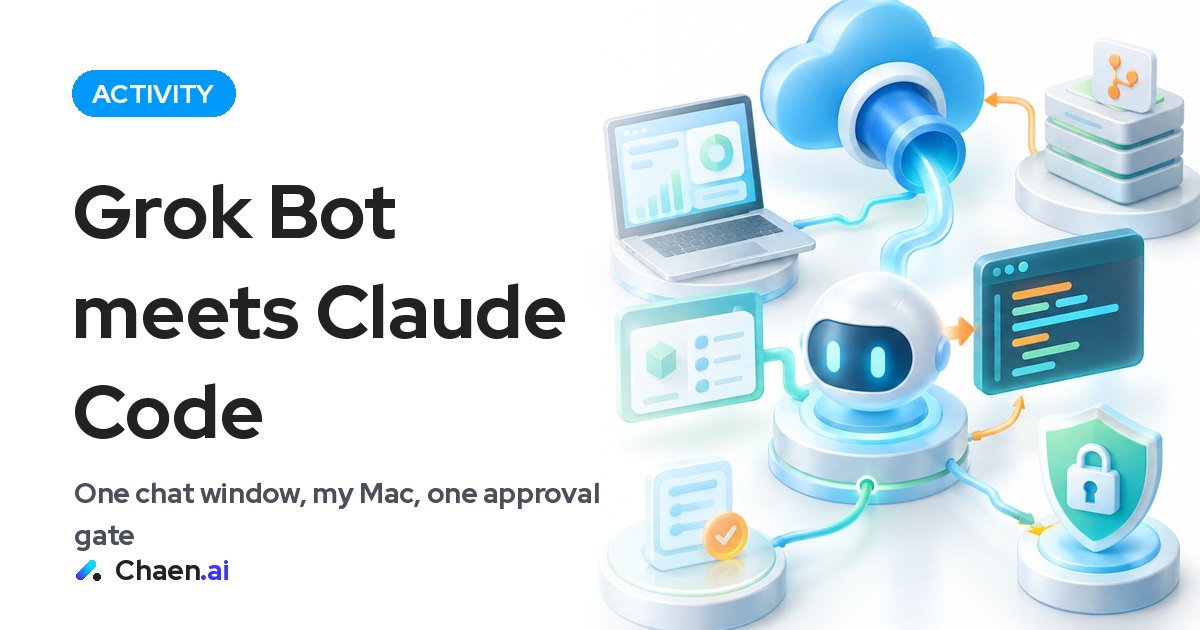
Grok Bot MCP integration notes: I registered a custom MCP, linked Claude Code, tunneled to my Mac, and kept approvals on one machine.
I wired a custom MCP into Grok Bot and connected it with Claude Code. Because it can reach local folders on my own Mac, work keeps moving even when my laptop is closed. This post covers the setup I built, the limits I deliberately put around it, and what matters if a company wants to try the same shape.
I spent this week strengthening my Grok Bot. I connected every app I could, then added the Claude Code link on top. The result is noticeably more useful than what I had before. The goal is simple: get to a state where I can finish work inside Grok Bot alone.
The Grok Bot MCP setup has only four parts
Everything I did fits in four lines:
- Register my own MCP as a custom connector in Grok Bot
- Connect securely from my Mac through a Cloudflare tunnel
- Do all work on a dedicated branch
- Approve only from my own Mac
The important thing is what is missing from that list. I did not stand up new infrastructure. The place where work actually happens is the Mac I already use every day, and Grok Bot is the entrance to it. An MCP defines which operations can be called from outside, so I decide how many doors exist and what shape they have. The ceiling on convenience and the ceiling on risk get designed in the same place, by the same person.
A small setup is also a cheap setup to operate. When something does not behave, there are only three places to suspect: the connector registration, the tunnel, or my MCP implementation. Every extra component makes that triage heavier. Starting thin is worth more than starting complete.
What the Claude Code integration changes
Adding Claude Code moved the chat from asking to doing. Before, a chat window was where I drafted things and thought out loud. Now I can start a job that opens a file, edits it, and leaves a diff behind, all from the same message box. Because it can touch local folders, I do not have to move material somewhere else first to make it workable.
The biggest practical change is while I am moving around. I no longer have to hold a small fix in my head until I can open my laptop. I send the instruction, and I look at the result when I am back at my desk. Remote control is the closest description. It is not a separate cloud workspace that approximates my environment; it is my environment, operated from a distance.
The flexibility comes from that direction. Instead of picking from a generic menu of actions, I shape the doors around how I already work. Nothing in my habits has to bend to fit the tool.
Why AGENTS.md and skills matter here
Being able to use AGENTS.md and skills was the part I liked most. It means standing context does not have to be retyped in every instruction. Conventions for a repository, or the steps a recurring task should follow, live in files. The message I actually send gets short. And short messages producing the same outcome every time is the definition of repeatability.
My own rough rules for where things go:
- I have explained the same thing three or more times → move it into AGENTS.md
- The steps are fixed and identical every time → make it a skill
- One-off work → just say it in the chat
In a remote setup, that split shows up directly as speed. The harder it is to type long text, the more the person who externalized their context wins. The inverse is also true: if you are still restating assumptions in every message, remote operation will not feel like much of an upgrade.
Dedicated branch and local approval: deciding where I can stop it
The safety design is deliberately boring. Work is confined to a dedicated branch. Approval happens only from my own Mac. What arrives from outside is a proposal; whether it lands is a decision I make locally.
When I build anything that operates a machine remotely, the first thing I decide is where I can stop it. Expanding capability is easy to do later. A system with no defined stopping point gets scarier as it gets more useful, which is a bad trade. Keeping work on its own branch is part of the same instinct: always leave an undo in place.
The tunnel follows the same logic. The point is not to open the machine broadly, but to pass exactly the path I need. Fewer doors means fewer things to verify. Designing toward the safe side usually turns out to be the lighter operational choice too.
How this lands in Japan
For readers running AI adoption inside a Japanese company, I think this setup raises three questions, and they are the right ones to ask.
- Where approval lives. Japanese organizations care a great deal about who approved what, and where that record sits. A dedicated branch plus local approval maps onto existing approval habits fairly cleanly, because the human decision point is explicit rather than implied.
- Where information exits. Which folders become visible through the door is something the MCP design controls. That makes it an operational decision, not a technical limitation — and operational decisions are the ones that need to be written down.
- Dependence on one person. My current setup assumes my Mac. As a personal working environment that is a strength. Extending it to a team would require a different design, and I would not mix the personal version with the organizational one.
The same point applies to overseas AI and tech companies explaining capabilities like this to a Japanese audience. The people evaluating it want to know how to stop it and how far permissions reach before they want to hear how impressive it is. Lead with the boundaries and the conversation moves forward. Lead with capability alone and every convenience you describe reads as a new risk to manage.
Where to start if you want to try it
If you want to build something in this shape, start small. In the order I would take it:
- Open read-only operations first and see what you actually reach for
- Confine any write to a dedicated branch
- Decide explicitly that a human approves, locally
- Move recurring context into AGENTS.md and skills
- Add doors only as fast as the usefulness justifies
Finishing all my work inside Grok Bot is still a goal, not a finished state. But simply being able to operate my own working environment from a chat window has changed how a day progresses. If you are thinking about this for your own company, deciding two things is enough to begin: what chat is allowed to touch, and where you can stop it. Once those are settled, adding doors is the easy part.
FAQ
What does it take to reach local files on a Mac from Grok Bot?
In my setup I registered a custom MCP as a Grok Bot custom connector and connected from my Mac through a Cloudflare tunnel. The work still happens on my own Mac; Grok Bot is just the entrance.
How do you keep a remote-control setup like this safe?
Work is limited to a dedicated branch, and approval happens only from my own Mac. What comes in from outside stops at a proposal, and I decide locally whether it lands.
Do AGENTS.md and skills work in this setup?
Yes, and that was one of the best parts. Standing rules live in files instead of in every message, so instructions get shorter and results get more repeatable.
Based on a post on XOriginal post ↗
About the author

CEO of DigiRise Inc. Has supported 600+ companies and 50,000+ people with AI training, consulting and development. GMO AI & Crypto advisor, Google Gemini AI advisor. 200K+ followers on X.
Related articles
 Claude Meetings: Features, Pricing, and My Hands-On Test Nov 22, 2026
 Claude Code Conversational Control: What I Learned Nov 10, 2026
 AI Replies: Why I Plan to Build a Reply System Nov 8, 2026
 Weekly AI Report: Robotics and Real-World Adoption Nov 8, 2026
 Claude Code Parallel Agents: 20 Sessions From a Conference Nov 7, 2026
 ChatGPT Language Learning: Notes From a China Trip Nov 5, 2026